



Toolbar Buttons
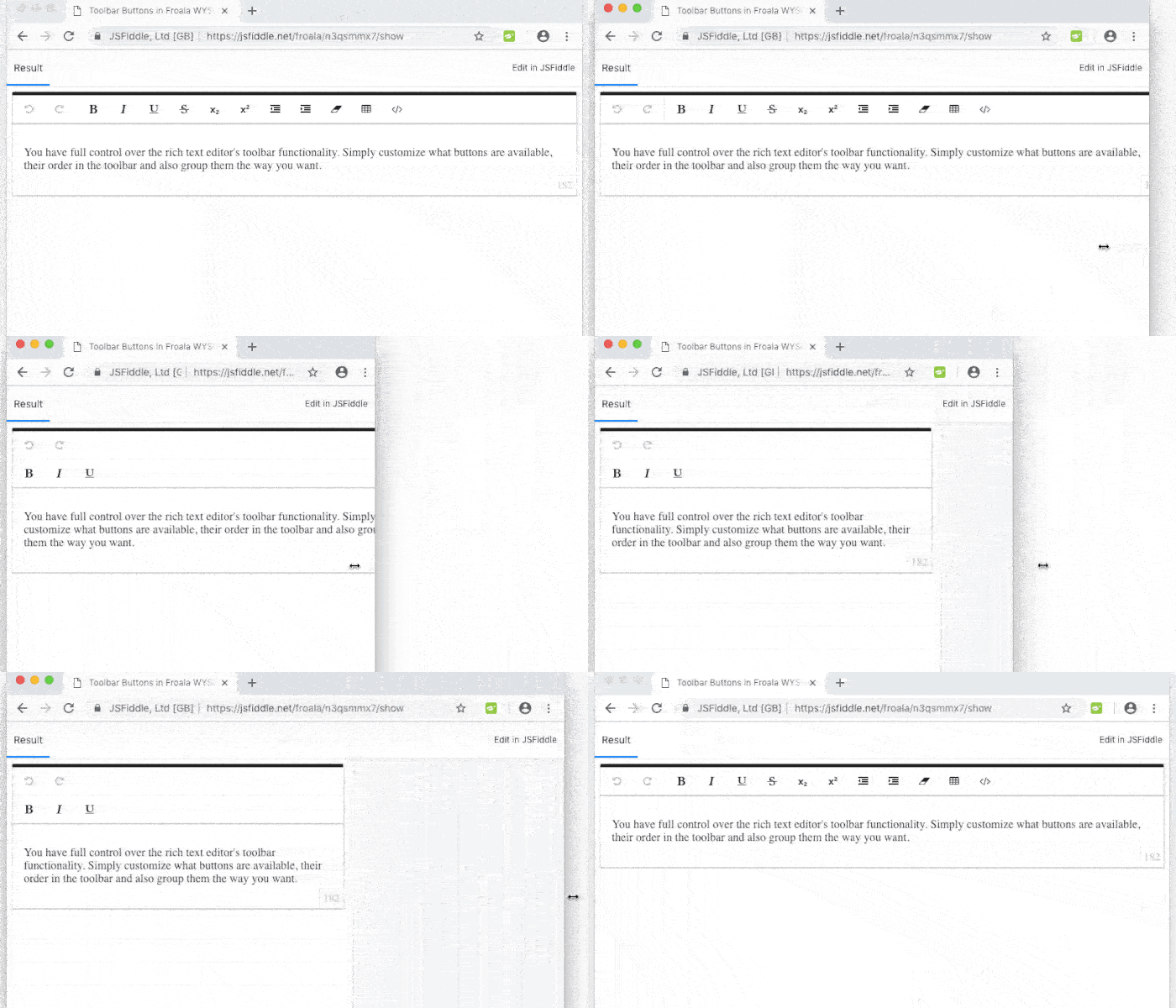
Try it yourself:
The toolbar's buttons can be customized based on the screen size using the following options:
- toolbarButtons for large devices (≥ 1200px)
- toolbarButtonsMD for medium devices (≥ 992px)
- toolbarButtonsSM for small devices (≥ 768px)
- toolbarButtonsXS for extra small devices (< 768px)
Buttons can be grouped together by adding separators between them. There are 2 types of separators: Vertical | and horizontal -. Separators can be added by passing them to any of the options above.
HTML
<div id="froala-editor">
  <p>You have full control over the rich text editor's toolbar functionality. Simply customize what buttons are available, their order in the toolbar and also group them the way you want.</p>
</div>
JAVASCRIPT
<script>
  $(function() {
    $('div#froala-editor').froalaEditor({
      // Set custom buttons with separator between them.
      toolbarButtons: ['undo', 'redo' , '|', 'bold', 'italic', 'underline', 'strikeThrough', 'subscript', 'superscript', 'outdent', 'indent', 'clearFormatting', 'insertTable', 'html'],
      toolbarButtonsXS: ['undo', 'redo' , '-', 'bold', 'italic', 'underline']
    })
  });
</script> 

