



Initialization
This article provides a step-by-step guide on how to replace Summernote with Froala Editor in your projects. Froala Editor is easy to integrate and use requiring minimal coding knowledge. Froala editor requires Font Awesome 4.4.0.
You can also watch the recording on how to do migrate, and use it as a starting point.
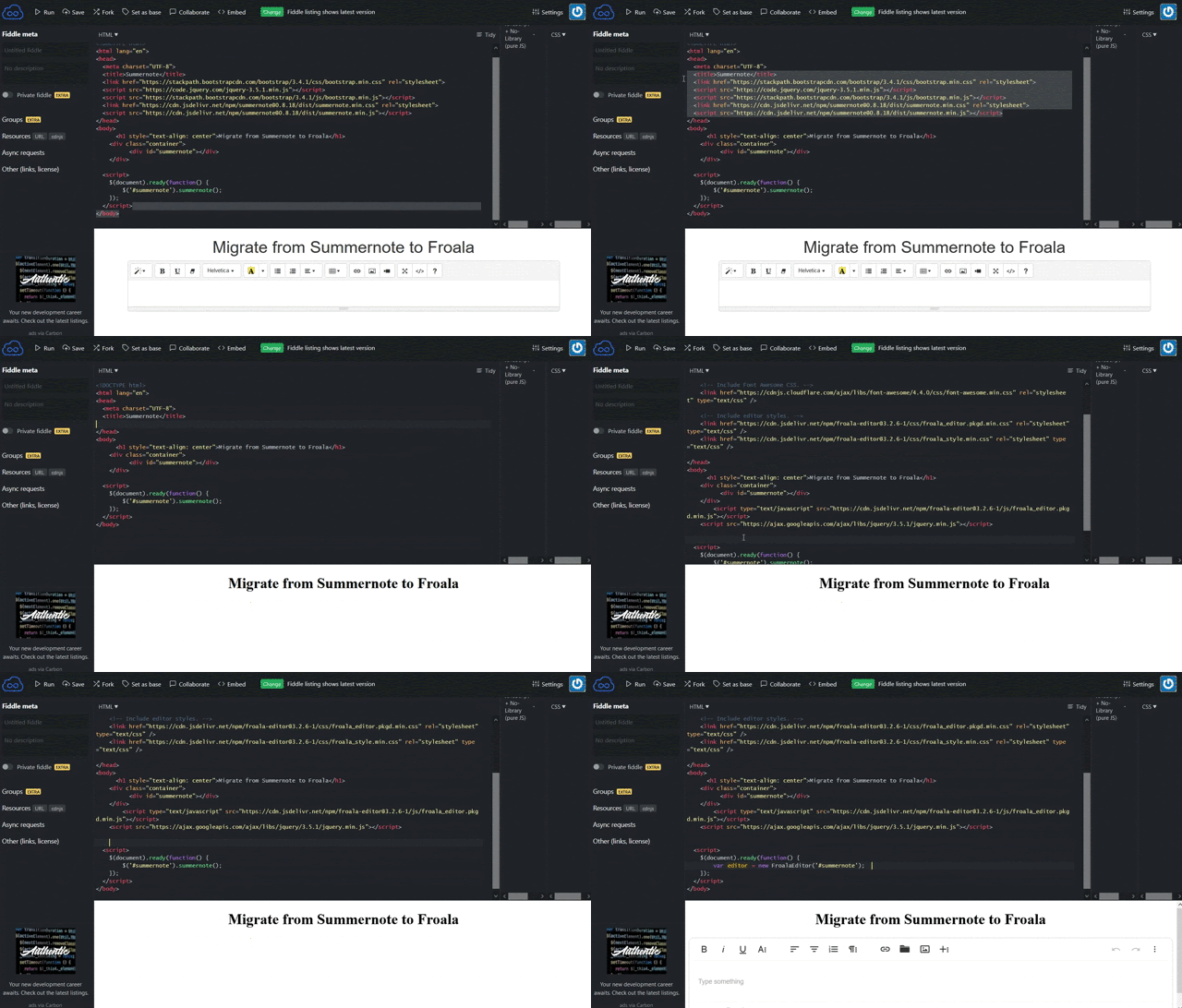
Remove Summernote Stylesheets and Scripts
First, remove all Summernote code and its dependencies from your project.
Remove the Summernote script file loaded through the CDN
<!-- load Summernote CSS from CDN -->
<link href="https://cdn.jsdelivr.net/npm/summernote@0.8.18/dist/summernote.min.css" rel="stylesheet">

<!-- load Summernote JS from CDN -->
<script src='https://cdn.jsdelivr.net/npm/summernote@0.8.18/dist/summernote.min.js'></script>
Summernote uses jQuery & Bootstrap, if you are not using them in your project, remove them
<!-- include libraries(jQuery, bootstrap) -->
<link href="https://stackpath.bootstrapcdn.com/bootstrap/3.4.1/css/bootstrap.min.css" rel="stylesheet">
<script src='https://code.jquery.com/jquery-3.5.1.min.js'></script>
<script src='https://stackpath.bootstrapcdn.com/bootstrap/3.4.1/js/bootstrap.min.js'></script>
Remove the Summernote initialization script
<script>
  $('#summernote').summernote();
</script>
Add Froala Editor
Once all the Summernote dependencies are removed, you can add Froala Editor following these steps:
Include the required CSS files in the HEAD tag.
<!-- Include Font Awesome CSS. -->
<link href="https://cdnjs.cloudflare.com/ajax/libs/font-awesome/4.4.0/css/font-awesome.min.css" rel="stylesheet" type="text/css" />

<!-- Include editor styles. -->
<link href="https://cdn.jsdelivr.net/npm/froala-editor/css/froala_editor.pkgd.min.css" rel="stylesheet" type="text/css" />
<link href="https://cdn.jsdelivr.net/npm/froala-editor/css/froala_style.min.css" rel="stylesheet" type="text/css" />
Add the JS files at the end of the BODY
<!-- Add editor JS files. -->
<script type="text/javascript" src="https://cdn.jsdelivr.net/npm/froala-editor/js/froala_editor.pkgd.min.js"></script>
Initialize the Froala editor
<!-- Initialize Froala Editor -->
<script>
  var editor = new FroalaEditor('#summernote')
</script>
Basic initialization example
Once you have completed all the previous steps, your code should look like this:
<!doctype html>
<html lang="en">
  <head>
    <meta charset="utf-8">
    <title>Migrate from Summernote to Froala</title>

    <!-- Include Font Awesome CSS. -->
    <link href="https://cdnjs.cloudflare.com/ajax/libs/font-awesome/4.4.0/css/font-awesome.min.css" rel="stylesheet" type="text/css" />

    <!-- Include editor styles. -->
    <link href="https://cdn.jsdelivr.net/npm/froala-editor@3.2.6-1/css/froala_editor.pkgd.min.css" rel="stylesheet" type="text/css" />
    <link href="https://cdn.jsdelivr.net/npm/froala-editor@3.2.6-1/css/froala_style.min.css" rel="stylesheet" type="text/css" />
  </head>
  <body>
    <h1>Migrate from Summernote to Froala</h1>

    <div class="container">
      <div id="summernote">Hello Summernote</div>
    </div>

    <!-- Add editor JS files. -->
    <script type="text/javascript" src="https://cdn.jsdelivr.net/npm/froala-editor@3.2.6-1/js/froala_editor.pkgd.min.js"></script>
    <script type="text/javascript" src="https://ajax.googleapis.com/ajax/libs/jquery/3.5.1/jquery.min.js"></script>

    <!-- Initialize Froala Editor. -->
    <script>
      var editor = new FroalaEditor('#summernote')
    </script>
  </body>
</html>


