Next-Gen Learning Experiences: Froala for LMS Developers

Introduction
Learning Management Systems, abbreviated as LMS, have changed how people learn. They automate learning processes such as creating and distributing learning assets, reports, evaluations, and even digital payments. LMS helps educational institutions and companies provide a highly convenient way of learning, saving plenty of time for all parties involved.
Content editing is one of the most essential features of an LMS. It is used to make announcements, share learning materials, answer graded or ungraded activities, post comments, and so on. It allows information to be processed and shared in a highly efficient and user-friendly way for learning institutions.
If the LMS didn’t have content editors built in, both teachers and students would have to use tools from outside the LMS. This can result in less organization, data leaks, and the hassle of switching between tabs or windows.
The easiest way to include a content editor in your LMS is using a WYSIWYG, or “what you see is what you get” HTML editor. With these, your users can change a webpage’s content without knowing how to code. This also means that a user’s content will appear similar to how it looks in the editor when posted to the page.
But how exactly do you choose the right content editor for your LMS? This is what will be answered in the sections below.
So, we already know that schools use LMS to make learning easier, automate learning processes, and manage learning assets. But to better understand LMS, we have to look at exactly where people use these platforms every day.
- Formal education
- This is one of the most common uses of LMS. Nowadays, students, be they in middle school, university, or postgraduate studies, greatly benefit from online or LMS-assisted education. They have better access to learning resources, easier progress/grades tracking, clearer collaborations, tuition, and plenty more. And since the pandemic began in 2020, you could say that educational institutions have been relying more on LMS. Because of its convenience, LMS will continue to be a relevant and popular choice when it comes to offering/enriching formal education in the years to come.
- Internal company training
- It’s a known fact that companies usually train their employees about their products, services, or business operations. Whether an employee is new, taking additional responsibilities, or in need of a refresher course, they’ll need some training. And to save precious time, companies must ensure that the training they conduct is easy to track, manage, and deliver. Using an LMS will tick all the training requirements for companies. Employees can even learn remotely. This helps them avoid the potential hassle of moving to another office/building/room for training.
- Franchisee/Vendor training
- For businesses that allow their products to be franchised or resold, it’s critical that franchisees or resellers follow the values, standards, and processes of their franchiser. If they don’t, it could have a negative impact on the franchiser and its products/services or lead to inconsistencies. Therefore, businesses need to train their vendors or franchisees with relevant learning materials. This is so that they could stand on their own while still upholding the franchiser’s standards.
- Customer training
- Companies might also need to conduct training for their customers to familiarize them with their products or services. Usually, it would involve conducting a training session or two in person, which takes time due to travel. Companies can also conduct training and demos online through the use of VoIP (Voice over IP) software like Zoom. The problem with this is that they won’t have any concrete learning materials (unless the company sends a manual or documentation). Furthermore, they’ll have to rely on the proficiency of the presenter. Learning management systems are a better way to train customers because they take away the hassle and make learning more consistent. Companies could just make course materials available to customers, perfect them once, and use them again for subsequent customer training.
- Certification/Compliance training
- It’s important for professionals to get certified in their fields (for example, JavaScript certifications). At the same time, businesses have to comply with different regulations in terms of processes and product quality. However, it’s not always clear or easy to do either. So, they could choose to train or prepare for these certifications or compliance through an LMS.
Now that you’re more familiar with how Learning Management Systems are being used today, let’s look at their importance.
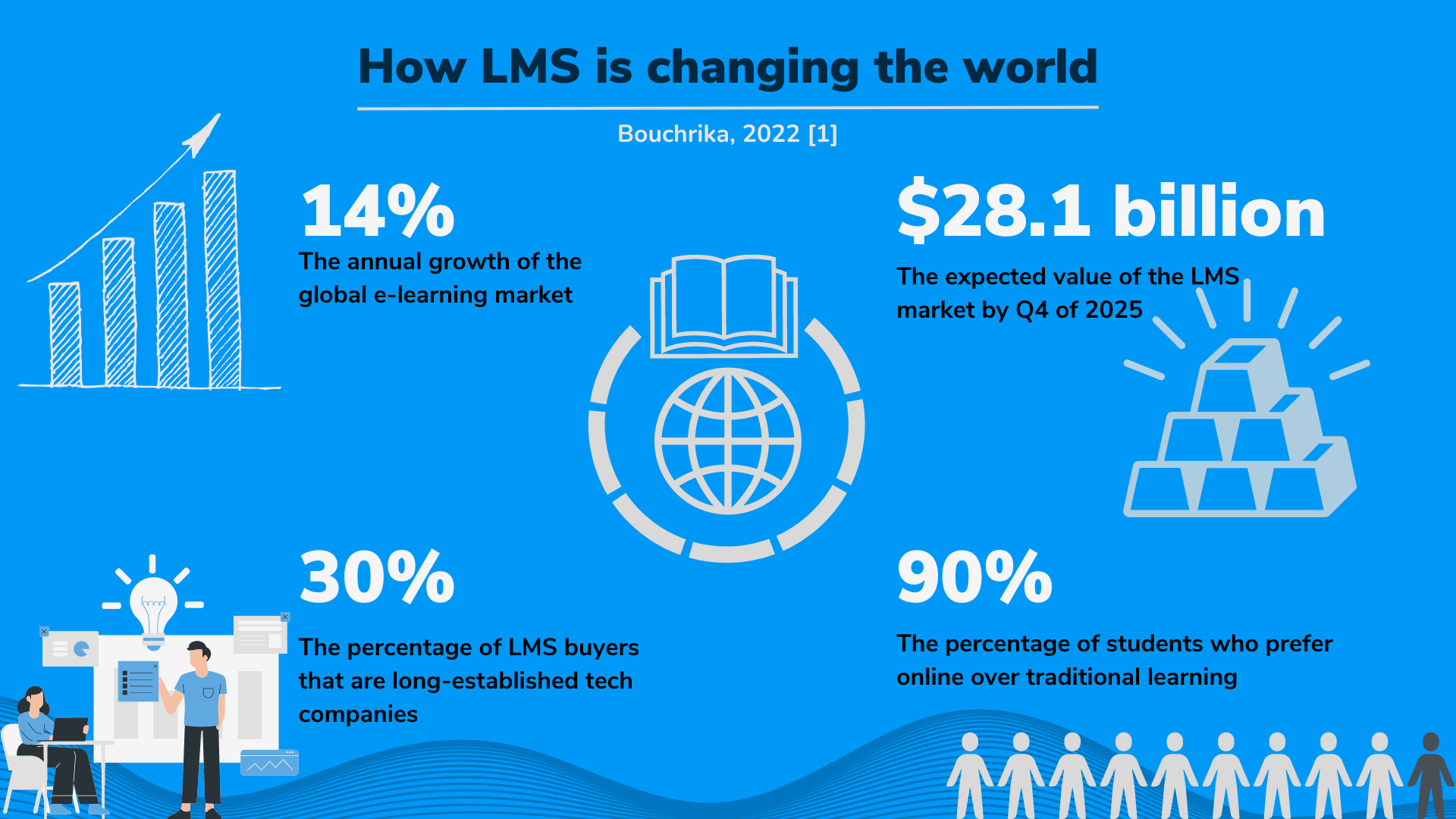
Whether you’re a student, educator, software developer, or business owner, you’ve probably already interacted with an LMS. They’re so widespread that they’re becoming more and more common in our daily lives. People can use these systems in many different ways and for different purposes, as shown in the preceding section. However, needing an LMS boils down to these reasons:
- You could be a learner looking for a convenient learning experience,
- An educator looking for a platform to teach on,
- A business owner, team leader, or government worker looking for an easy yet effective way to train members, or
- A business owner who wants to provide their clients/the public with a learning platform Whatever your reasons, there's a good chance you'll use (or develop) an LMS at some point in your career. And for that reason, it’s important to be familiar with what learning management systems can do.
Before we can get to choosing a content editor, let us first determine the most important features of a well developed LMS. It goes without saying that these systems should make it easier for people to learn from learning materials, take tests, and do other activities, whether they are students or employees. In the same way, educators like teachers and trainers shouldn't have any trouble sharing content, information, and evaluations, as well as planning and making learning materials. Lastly, an LMS should make communication between learners and educators, as well as registration and payments (if any), as seamless as possible.
To build an impactful LMS that greatly contributes to the goals of digital learning, developers will need to implement robust features, which include the following:
- Creation and delivery of learning materials - First and foremost, LMS developers must allow learning providers to create, manage, and deliver their learning materials in an organized and centralized manner. This encompasses making the content itself using an editor or by importing a file, sorting and organizing them by course and other categories, and making them accessible. Learners would then have to interact with the materials (videos, files, text, and so on) by viewing their courses.
- Learner assessment and grading - An LMS should also allow learners to perform tests and activities to gauge their proficiency with the courses. These should be done as efficiently, clearly, and securely as possible, especially for universities and other traditional educational institutions. The learners’ grades should also be accurate and easy to understand, view, and printed/linked for employers and guardians to check. Learners should also be able to freely provide feedback regarding their instructor or the LMS platform.
- Reporting and tracking of data - Another important feature of Learning Management Systems is the capability to track learners’ and educators’ data and progress. This allows the learning providers’ analysts to see whether the platforms’ goals are being met. In other words, an LMS should show how well the students are learning according to their progress and if the instructors are effective in imparting knowledge. Additionally, it should tell which courses are preferred, which ones need improvement, and whether learners are more likely to be retained.
- Collaboration and communication features - An LMS wouldn’t be complete without features that let learners work with and communicate with one another and educators. These include versioning and change tracking, leaving comments on learning materials, and messaging. These ensure that learners would be able to communicate, as they would in a non-digital environment, about coursework-related concerns.
- Easy import/export or copy pasting of content - An adequate LMS should also support copying/pasting or importing/exporting content. This means that users have the ability to copy content from external sources and paste it onto the LMS’ editor without losing its format. On the other hand, it should also let learners copy and paste content while losing its format.
- Offline working and autosaving - Most applications that allow users to edit content nowadays come with offline working and autosaving. The former deals with allowing users to work (edit content or answer assessment materials) in case of unexpected interruptions such as power outages. Once connection is restored, it then synchronizes the user-generated content with the database (think Google docs). Autosaving involves sending iterations of content to the server every once in a while so that users don’t have to worry about losing unsaved content. With these two features, unexpected interruptions would be nothing to learners.
- Notifications - Modern LMS should be informative enough for users. They should notify learners and educators alike about announcements, results, events and activities, and so on. Notifications keep users informed and ensure that important information won’t be missed.
- Integration with other platforms - Most LMS allow their learners to link their profile to various external accounts (for example, LinkedIn) to carry over whatever they accomplished. From individual courses to seminars and even degrees, by linking a learner’s account to an external one, a learner could prove their proficiency and accomplishments.
- Accessibility and Localization - Since one of the purposes of LMS is to provide accessible learning, an LMS should cater to as many learners as possible. These include people with disabilities as well as non-native speakers. By adding accessibility and localization features to your LMS, you also broaden the pool of learners that use your platform.
When developing an LMS, carefully planning out and polishing its features is essential. A 2022 study by Ngah et al. shows that online learning system quality has a positive impact on students’ performance, e-learning readiness, and satisfaction [2]. The study also found that e-learning readiness and satisfaction both affect students’ performance and their willingness to keep learning online. In short, you really need to ensure that your LMS has most of the features we’ve discussed to retain users. You must also try to polish these features and ensure that your LMS works well and is easy to use. And yes, it’s difficult to release a high quality product at launch, but subjecting it to several tests can help.
Another way you can improve the quality of your LMS is to check the competition. By looking at their features and characteristics, you’ll have an idea of what you should implement on your own. Furthermore, you’ll gain insight on what you should do to make your product unique, get users, and keep them.
It’s important to be aware of the leading and rising LMS options available in the market today. Because if you’re planning to make your own LMS, you’ll need inspiration, insights, and competition from these other LMS. They can help you start the right way if you study what makes them successful and well-loved. Here are some of the leading and promising Learning Management Systems there are today:
-
Absorb LMS
Absorb LMS is one of the most popular Learning Management Systems, having clients like Sony, Johnson & Johnson, and other organizations. It’s an easy-to-use, modern, scalable, intelligent, feature-rich, and award-winning LMS that can handle every use case. However, it’s more expensive than other LMS, making it ideal for bigger companies or organizations.
Key Features
- Smart administration
- eCommerce support
- Configurable reporting and analytics
- Mobile-friendly and responsive
- High performance
- E-signatures
- Learner/Course dashboards
- Automated enrollment
-
iSpring
iSpring is another leading LMS that’s fast, intuitive, and clearly-priced. It’s also highly customizable to fit clients’ branding, and users can integrate it with existing internal solutions like HR systems. Furthermore, iSpring takes pride in having pricing plans that are straight to the point, cheaper, and without hidden charges. Its downside is that it has neither eCommerce support nor ready-to-use learning content.
Key Features
- Customizable learning path structure
- Comprehensive dashboards and progress reports
- Can be integrated with Microsoft Teams and Zoom
- Event calendar
- Mobile-friendly and responsive
- High performance
- Training automation
-
Moodle
It’s not everyday that you stumble upon an open-source yet advanced LMS. Moodle is one such LMS, providing enough customization, rich features, a fresh interface, and more, all free of charge. Those who seek more features from Moodle can also opt for their affordable paid plans. A disadvantage of Moodle is that it can take some time to get used to. Moreover, it doesn’t look as modern as the other paid LMS. Nonetheless, it’s a popular LMS because of its capabilities and open-source license.
Key Features
- One platform for all features
- Course management
- Mobile-friendly and responsive
- In-depth customization and plugins
- Collaboration tools
- Support for multiple languages
- Personalized dashboard
-
TalentLMS
TalentLMS is a highly promising, modern, user-friendly, and efficient LMS. Used by big companies like Isuzu, Ebay, and Duolingo, as well as smaller companies, it has a large user base. One of its strongest selling points is that it promises a quick setup, letting users deploy their learning platform in under a day. It also has a relatively low price, making it popular among organizations regardless of company size. One of its cons, however, is that some users find it not too special. This is because it combines great features from competitors without adding anything unique.
Key Features
- Course management
- Course marketplace with ready-to-use content
- Very customizable
- eCommerce support
- Notifications
- Supports multi-organization structures
- Very intuitive, short learning curve
-
LearnWorlds
LearnWorlds is a cloud-based LMS that’s lightweight, easy to use, customizable, and affordable. It has powerful eCommerce capabilities, allowing users to integrate it with payment gateways like Shopify and Paypal. This then lets them sell online courses, bundles, and memberships easily and securely. Users also have access to its site building features, providing them with more freedom in terms of UI design. One downside of LearnWorlds is that it doesn’t have a free plan.
Key Features
- eCommerce support
- Website builder
- Intuitive course management
- Can be integrated with Webex and Zoom
- Advanced reporting tools
And there you have it. Those are just some of the leading and popular Learning Management Systems in the market. It’s important to study their features and what their users like (and dislike) about them when creating your own LMS. Doing so will help you make better decisions when planning out your platform’s features, pricing, and niche.
One thing common among these systems is that they all have an editor. LMS editors help users create, edit, and publish content. Thus, your LMS should have an editor that’s as intuitive, sleek, fast, robust, customizable, and innovative as possible. That’s why in the next section, we’ll look at the qualities that an ideal LMS editor possesses.
A WYSIWYG editor is one of the core components of an LMS. As you may have noticed, many of the features listed above involve content creation and editing. That’s why it is vital to determine what makes an editor ideal for Learning Management Systems.
The ideal LMS editor should possess the following characteristics:- All the basic features of a content editor (text and paragraph formatting, colors, adding images and other media, word count, and so on)
- Support for mathematical equations, expressions, and notations
- Real-time collaboration
- Change tracking
- Copy/pasting
- Spelling and grammar checker
- Support for autosave
- Support for other languages and writing
- Accessibility features
- Allows you to focus more on content instead of extra coding work
Creating the ideal LMS editor won’t be easy. Making even one of its features could take you months, especially if you don’t have the resources. Thankfully, many of its features can be added almost instantly by using an advanced, ready-made WYSIWYG HTML editor. However, you must still assess each of these WYSIWYG editors and choose based on your needs. That’s why we’ve gathered three solid editors for you to choose from.
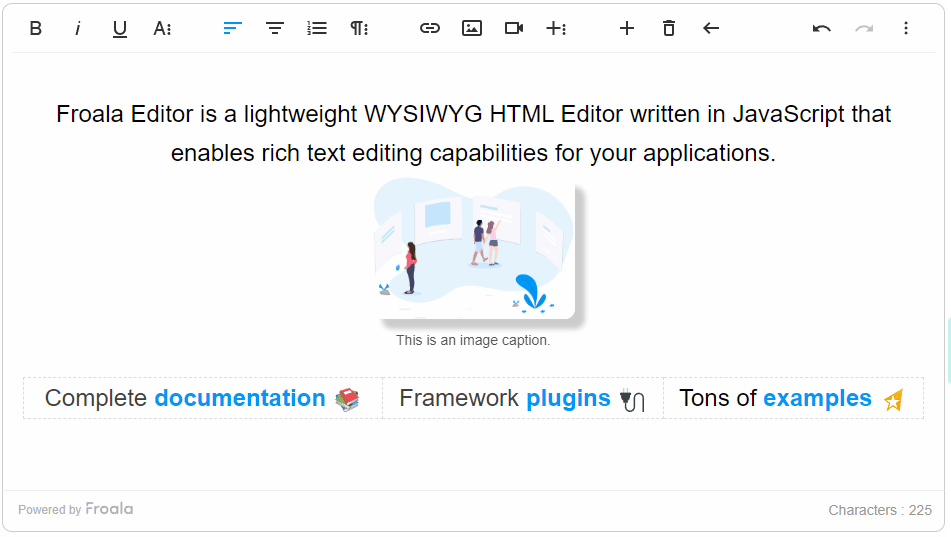
Froala is a lightweight, fully featured WYSIWYG editor with a modern and sleek design. Its initialization speed, intuitiveness, and rich text editing features make it a popular choice for LMS users. Furthermore, its easy integration and customizability make it a favorite for developers as well. Froala prioritizes a complete and enjoyable learning experience for users, along with solid collaboration features and a clean, organized interface. Froala, having an initialization speed of 40 ms or less, provides a strong, feature rich content editor that users won’t have to wait for to load. It’s also plugin-based, meaning that you can only use the features that you need, further adding to efficiency, organization, and easy maintenance.
Among the WYSIWYG editors, Froala is one of those that provide a simple interface with complete features. It has been designed to fit and categorize more than 100 features in an intuitive and naturally readable way. And if you want to change how the toolbar looks, along with its visible components, you can because of its customizability.
Overall, if you want an editor that has a complete set of rich text editing features, a beautiful interface, and faster loading times, then Froala could be for you.
So, what does Froala bring to the LMS table? It does guarantee to “supercharge” learning and collaboration, after all. Well, you’ve seen the table above. Froala delivers these features really well, providing an editor that’s loved by both LMS developers and users. Here are some of the ways Froala brings you closer to your LMS goals:
Froala greatly enriches user experience.If there’s one thing Froala has perfected, it’s user experience. Whether it’s the extremely fast load speed, the beautiful design, or mobile-friendliness, Froala has the qualities that make learners and learning providers enjoy an efficient LMS experience. And the happier and more efficient your users are, the better the outcome will be on your business.
It’s important for LMS to provide a consistent learning experience no matter the device. Recently, more learners are becoming motivated and accustomed to learning using mobile devices[1].
This increase in mobile learning platform demand makes it mandatory for LMS developers to include responsiveness and cross-compatibility. Froala makes these features easy, giving users a consistent and seamless experience on all devices and browsers.
Froala makes compliance easier.Nowadays, compliance is a must on most applications, and Learning Management Systems are no exception. For instance, complying with accessibility regulations makes sure that your app can serve as many people as possible. The same applies to language or RTL (right-to-left) support. Froala already complies with some regulatory requirements such as Section 508. This makes it easier for your LMS to comply with regulations in turn.
Integration with Other ToolsFroala's versatility doesn't stop at its standalone features. It also excels in its compatibility and interoperability with other software tools commonly used in Learning Management Systems. Whether it's seamless integration with various databases for storing and retrieving content, or compatibility with authentication systems for secure user access, Froala ensures that your LMS remains a cohesive and unified platform. Additionally, Froala can be paired with other educational technology tools to further enrich the learning environment. These integrations provide additional flexibility, making Froala a fitting choice for diverse LMS architectures.
Scalability and PerformanceWhen choosing a WYSIWYG editor for your LMS, considering its scalability and performance is essential. As your user base grows, the editor should be capable of handling increased loads without compromising speed or efficiency. Froala excels in this regard. It's designed to deliver consistent performance, even when used in large-scale LMS implementations with thousands of users. Its fast load speed and efficient operation ensure a smooth and responsive user experience, regardless of the scale of your LMS. Hence, whether you're a small educational institution or a large corporation, Froala's scalability and performance make it a reliable choice for your LMS.
SecurityIn the digital age, security is a paramount concern for any software selection, and Froala understands this. It incorporates a robust security framework to ensure that your content remains safe and your users' data is protected. From secure data transmission to stringent access controls, Froala's security features provide peace of mind to LMS administrators. Additionally, Froala's compliance with various regulatory standards further reinforces its commitment to security. When you choose Froala, you're choosing a WYSIWYG editor that prioritizes security just as much as functionality and user experience.
Froala gives you control without letting you do most of the work.Some powerful editors allow customization; however, some might be letting you do too much work. Froala has the right balance between customization and efficiency. This allows you to build the LMS you have in mind without feeling exhausted.
Froala saves you both time and money.Froala saves you not only time, but also money. When getting a WYSIWYG editor for your LMS, it’s important to purchase one with clear pricing plans. Froala doesn’t charge extra based on the number of users or editor loads per month. Furthermore, it has a much lower base price compared to other premium editors. Lastly, it doesn’t keep any features locked behind a paywall. Everything’s accessible, no matter which plan you choose.
Example of Froala configuration for LMS case
 <!-- This is an example of how you can use Froala for LMS. You can also adapt this starter config to suit your needs -->
 <!DOCTYPE html>
<html>
<head>
<meta charset="utf-8">
<title>LMS use-case demo</title>
<meta name="viewport" content="width=device-width, initial-scale=1">
<!-- Froala latest version stylesheet -->
<link href='https://cdn.jsdelivr.net/npm/froala-editor@latest/css/froala_editor.pkgd.min.css' rel='stylesheet' type='text/css' />


<!-- Include Tribute.js style. -->
<link rel="stylesheet" href="https://cdn.jsdelivr.net/npm/tributejs@3.5.3/dist/tribute.css">
</head>

<body>

  <textarea id="editor">

  </textarea>


  <!-- The Froala latest version JavaScript code-->
  <script type='text/javascript' src='https://cdn.jsdelivr.net/npm/froala-editor@latest/js/froala_editor.pkgd.min.js'></script>


   <!--
    # For Embed.ly Integration, include Embed.ly platform JS.
    # It will take a URL, send it to a backend service that returns an embeddable snippet of code, and add that code to the editor
    https://awsstage.froala.com/wysiwyg-editor/examples/embedly/
    -->
    <script src="https://cdn.embedly.com/widgets/platform.js" charset="UTF-8"></script>


    <!--
    MathType integration - Write math equations and Chemistry Formulas easily
    Go to MathType website <> and follow the steps that are specific for your environment.
    Install MathType: npm install @wiris/mathtype-froala3
    -->
    <script src = "node_modules/@wiris/mathtype-froala3/wiris.js"></script>


    <!--
    # Spelling and Grammar Checker
    To integrate and activate the WProofreader spelling and grammar checking functionality on your website there are several steps to follow.


    1. Go to WebSpellChecker website and Subscribe to the WProofreader  < <https://webspellchecker.com/free-trial/>> Cloud service.
    2. On the subscription, you will receive an activation key that you need to specify in the WProofreader configuration.
    3. Pass your activation key as a value for serviceId option in the configuration script. It should be an identifier like: "gXuG4NUNri45q9A52Pf".

    # Include the wscbundle.js file.
    -->
    <script type="text/javascript" src="https://svc.webspellchecker.net/spellcheck31/wscbundle/wscbundle.js"></script>


    <!-- Include the WEBSPELLCHECKER_CONFIG variable. -->
    <script>
        window.WEBSPELLCHECKER_CONFIG = {
        autoSearch: true,
        autoDestroy: true,
        serviceId: "service-id-recieved-from-webspellchecker-after-subscription"
        };
    </script>


  <!-- Froala Learning Management System (LMS) Starter Config -->


  <script>


    // For mentioning students, teachers, assignments, and other
    var tribute = new Tribute({
        values: [
                { key: 'Course Name', value: 'course' },
                { key: 'Teacher Name', value: 'Course.Teacher.Name' },
                { key: 'Student Name', value: 'Student.Name', email: 'Student.email' },
                { key: 'Department Head', value: 'Course.Department.Head' },
                { key: 'Assignment', value: 'Assignment.title', date: 'Assignment.Due Date' },
                ],
        selectTemplate: function(item) {
        return '' + item.original.key + '';
        }
    });


    //Initializing the Froala editor on the textarea element which has the "editor" id.
    new FroalaEditor('#editor',{


    // Tip - To make Froala leaner, only include the plugins you need
    pluginsEnabled: ['align','colors','draggable', 'file','filesManager','fontFamily','fontSize','fullscreen', 'image', 'link', 'lineBreaker', 'lineHeight', 'lists', 'paragraphFormat', 'print', 'quickInsert', 'quote', 'save', 'table', 'video','wordPaste','embedly'],

    // Specify the toolbar buttons
    toolbarButtons: [['fullscreen', 'undo', 'redo', 'getPDF', 'print'], ['bold', 'italic', 'underline', 'textColor', 'backgroundColor', 'clearFormatting'], ['alignLeft', 'alignCenter', 'alignRight', 'alignJustify'], ['formatOL', 'formatUL', 'indent', 'outdent'], ['paragraphFormat'], ['fontFamily'], ['fontSize'], ['insertLink', 'insertTable', 'insertImage','insertVideo' ,'insertFile ','quote'],['embedly','wirisEditor', 'wirisChemistry']],


    // Enable sticky toolbar
    // https://awsstage.froala.com/wysiwyg-editor/examples/sticky-toolbar/
    toolbarSticky: true,


    //Since the toolbar is sticky, we will be able to insert media from toolbar easily
    quickInsertEnabled: false,


    // You can assign each item in the Blocks menu a user-friendly name
    // https://awsstage.froala.com/wysiwyg-editor/docs/options/#paragraphFormat
    paragraphFormat: {
        H1: 'Title',
        H2: 'Heading',
        H3: 'Sub heading',
        Blockquote: 'blockquote',
        N: 'Normal',
    },


    videoResponsive: true, //Enable responsive videos in the Froala Editor.


    //For MathType integration
    // Allow aLL tags, in order to allow MathML:
    htmlAllowedTags: [' .* '],
    htmlAllowedAttrs: [' .* '],
    // ALLow empty tags on these next elements for proper formula rendering:
    htmlAllowedEmptyTags: ['mprescripts', 'none'],

    // You can choose the Language for the MathType editor, too:
    // @see: https://docs.wiris.com/en/mathtype/mathtype_web/sdk-api/parametersPregionaL_properties
    // mathTypeParameters: {
    // editorParameters: { Language: 'es' },
    //},


    // In case you are using a different FroaLa editor Language than defauLt,
    // Language: 'ar',


    //direction: 'rtl'

    events: {

      // You can assign a function that will be called automatically after the editor is initialized
      initialized: function() {
        var editor = this;


        // For seamless integration with Tribute plugin
        tribute.attach(editor.el)


        editor.events.on('keydown', function(e) {
          if (e.which == FroalaEditor.KEYCODE.ENTER && tribute.isActive) {
            return false;
          }
        }, true);

   //Integration with WebSpellChecker
        WEBSPELLCHECKER.init({
            container: this.$iframe ? this.$iframe[0] : this.el
        });
      }
    }

  });
  </script>
</body>
</html>
</pre>
</div>
In the rapidly evolving digital landscape, the selection of the right content editor for your Learning Management System (LMS) is paramount. It's not only about fulfilling your immediate requirements but also about aligning with your budget, future plans, and scalability needs. Among the various options available, Froala stands out due to its rich feature set, user-friendly interface, and competitive pricing. The key to its success lies in its ability to balance an extensive range of features with an intuitive design, making it an ideal choice for both developers and users. Remember, the ultimate goal of an LMS is to enhance the learning experience, and a powerful WYSIWYG editor like Froala plays a crucial role in achieving that objective.
We looked at three highly popular and powerful WYSIWYG editors that can be used for Learning Management Systems. All three are capable and have very similar features. To choose the right one for your needs, you only need to browse their pricing plans and inclusions. Generally, it’s better to choose an editor that doesn’t keep necessary features behind additional payments. In the end, the editor that you’ll choose is up to you, but you can always refer to this guide when making your decision.