



Top 10 AI Features for Modern WYSIWYG Editors

A WYSIWYG editor serves as the backbone of most modern content-centric web applications. And as artificial intelligence (AI) continues to advance, its role in editing has grown stronger. Developers now integrate AI into WYSIWYG editors to assist with writing, suggest ideas, or even understand and analyze visual content.
As a result, end users of these AI-powered editors get more productivity, creativity, and convenience. From email builders and blogging platforms to LMS (learning management systems), these editors help people make content faster.
This article explores ten AI features for WYSIWYG editors that improve writing quality, user experience, and even code. For each feature, you’ll also see a practical example of how they enhance both developer and user workflows.
Key Takeaways
- AI enhances a WYSIWYG HTML editor by combining creativity, accessibility, and efficiency in one intelligent workspace.
- Text-centric AI features improve writing clarity, tone, grammar, and flow directly in the editor.
- Media-centric AI features make images safer, more accessible, and context-aware through NSFW detection, OCR, and sentiment analysis, respectively.
- Editors with code view and AI features help developers refactor, debug, and maintain cleaner code right inside the editor.
- Smart editing amplifies creativity, helping users create faster and with greater confidence.
Smart Text Rewriting
Smart text rewriting lets users rephrase sentences to improve tone, clarity, or grammar. It uses natural language processing (NLP), a subset of AI, to understand context and meaning before suggesting alternatives.
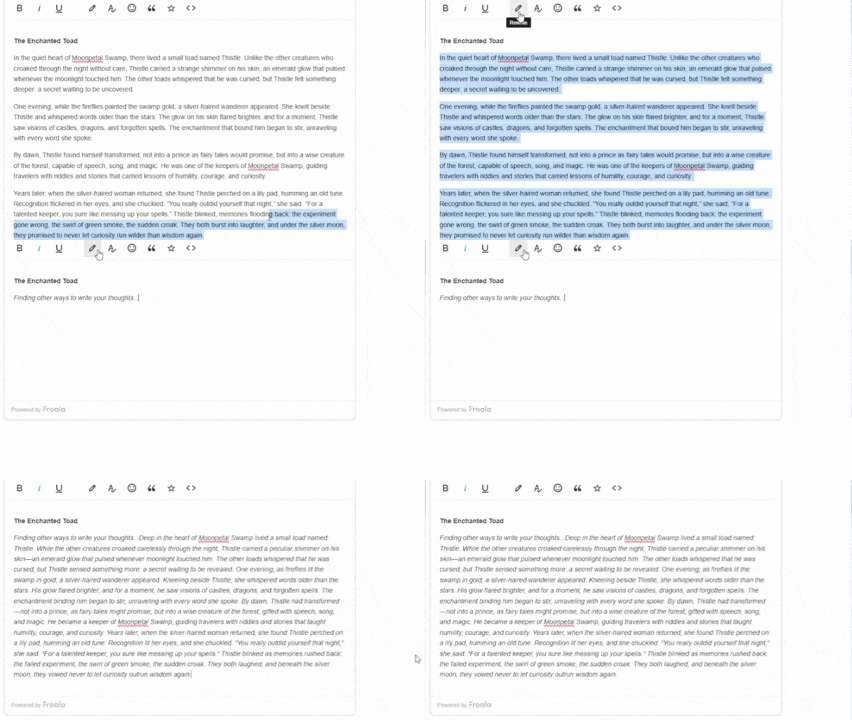
For example, a user can highlight a long, repetitive paragraph and ask the AI to make it concise. The model rewrites it while keeping the intended message intact. This helps save time during editing and helps maintain a consistent writing voice across multiple sections.
Rewriting tools are valuable for marketing teams, content editors, and students. With some highlighting and a button click, they can turn rough drafts into polished versions quickly.
Tip: Always give control over the AI output. A simple “Replace” or “Discard” button builds trust and prevents over-automation.
Grammar and Spelling Correction
AI-based grammar and spelling checkers help improve content accuracy without requiring the user to leave the editor. Trained AI models can detect grammar issues, word misuse, or punctuation errors in real time or through a button click. For better accuracy, set the model’s temperature to 0 (less variation, more focused, and more consistent).
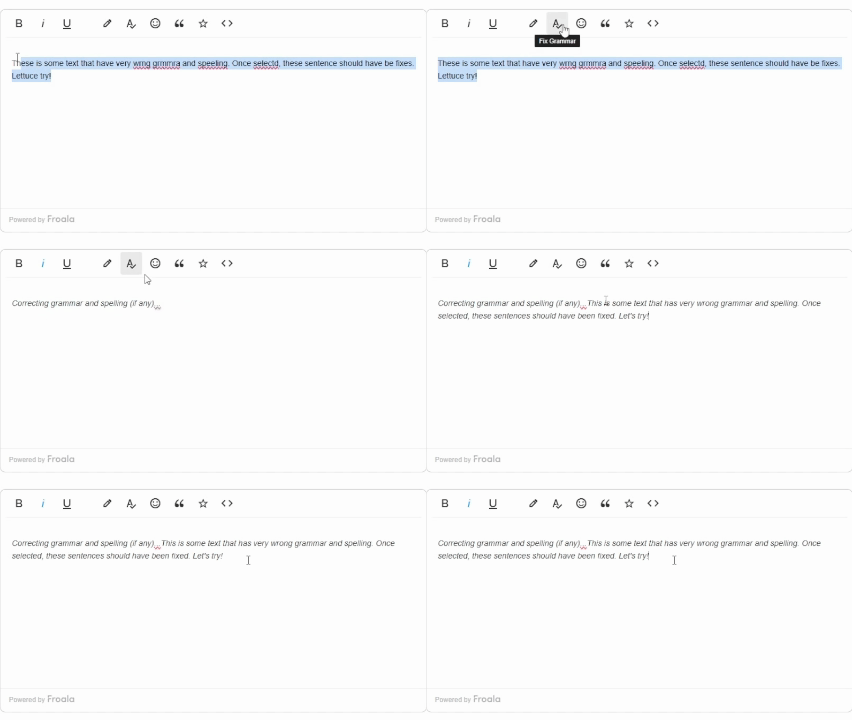
Unlike rule-based checkers, AI systems consider sentence context. For example, they recognize the difference between “their” and “they’re,” which traditional checkers might miss. Some WYSIWYG editors show underlined words with suggestions, while others display correction popups when a user hovers over the text.
This feature benefits ESL (English as a Second Language) users who need language guidance without switching tools. Additionally, it helps professional writers maintain consistency across long documents.
Tone and Style Adjustment
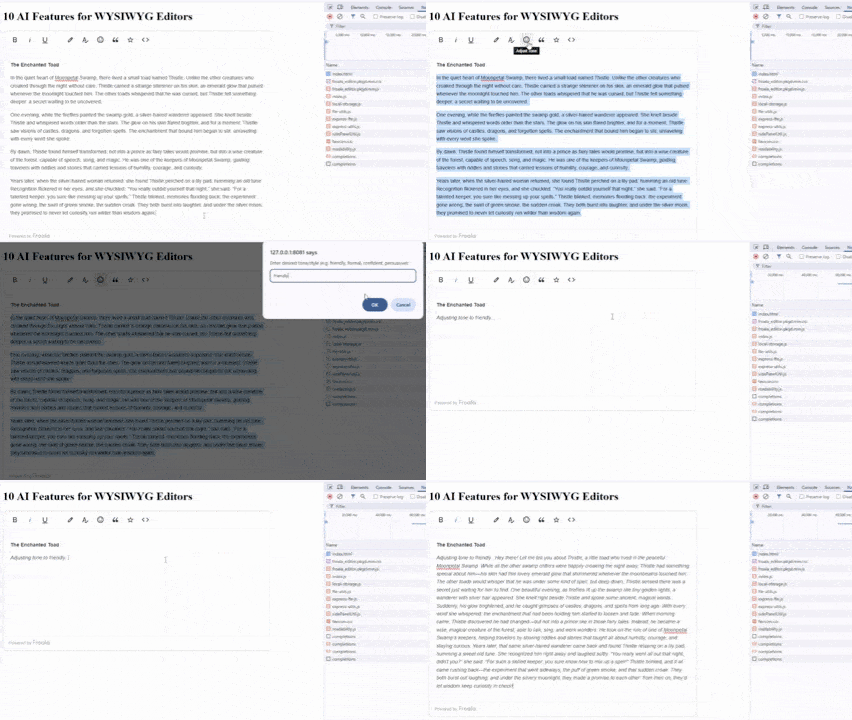
Tone and style greatly affect how readers interpret content. AI can analyze existing text and adjust its tone to fit specific audiences.
For instance, an email-based customer support agent can task the editor to make a message sound “polite yet direct.” Meanwhile, a content marketer might request “friendly and persuasive.” The AI rewrites sentences based on sentiment analysis and stylistic models, keeping the message intact but adapting its delivery.
Tone control adjustment is useful in customer service, branding, and corporate communication. It helps organizations maintain consistent voice and professionalism across all published materials.
Note: You can combine tone and style adjustment together with smart text rewriting for better content production. That way, AI can rewrite your users’ text with the right tone in mind.
Content Summarization
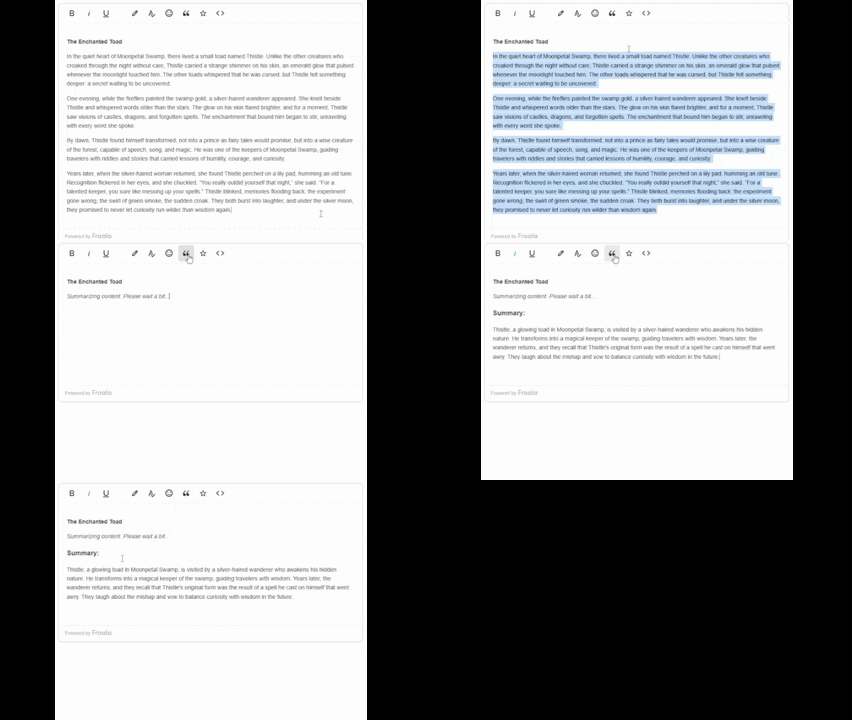
Writers often deal with lengthy drafts, documents, or meeting notes. Content summarization helps them condense large texts into concise, readable versions.
Using AI-driven NLP, WYSIWYG editors can identify the most important points and reconstruct them into shorter summaries. Usually, users can choose between brief summaries (one paragraph) or detailed versions (a few key points).
This is ideal for editors, documentation writers, or students who need quick overviews without reading entire documents. It also enhances collaboration by letting teams review key information faster.
Tip: Provide a “Compare” view that shows both the full text and the summary side by side for transparency. Furthermore, always encourage your users to still scan the full text for professional or critical information.
Headline and Title Generation
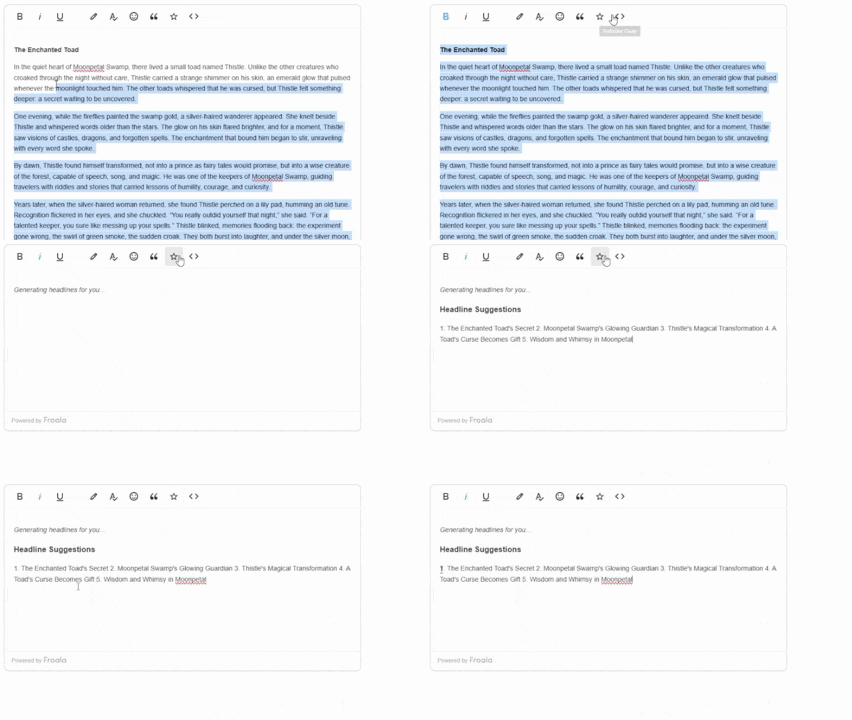
Titles influence how content performs online. AI headline generation tools can produce creative and SEO-friendly titles based on existing text.
By analyzing tone, length, and keyword usage, AI suggests catchy options that align with audience intent. For example, if your post discusses digital privacy, AI might suggest “5 Simple Ways to Protect Your Online Identity.”
This feature helps bloggers, journalists, and marketers brainstorm ideas faster while improving click-through potential.
Auto Image Captioning and Alt Text Generation
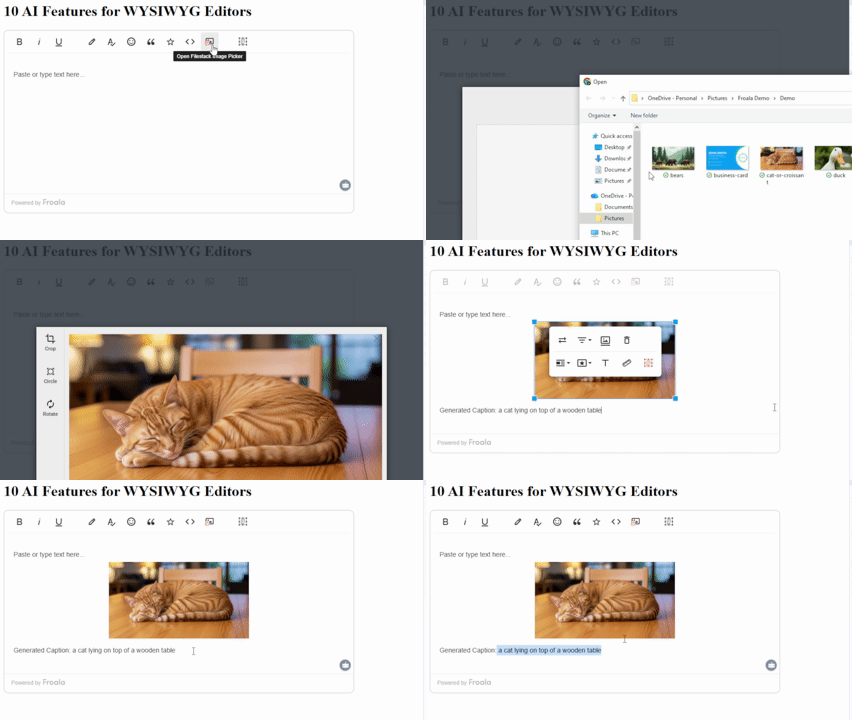
Accessibility and SEO both depend on proper image descriptions. AI can automatically generate alt text (used by screen readers) and captions when users upload images.
Using computer vision, the AI identifies objects, settings, or actions within an image and describes them in natural language. For example, it can generate “A group of people discussing around a laptop” as alt text for a meeting photo.
This saves time for content creators while supporting users who use assistive technologies like screen readers.
Tip: Encourage users to review and approve captions before publishing. As with everything AI, this helps ensure accuracy and gives the decision to the users instead of the AI.
Content Safety Checking
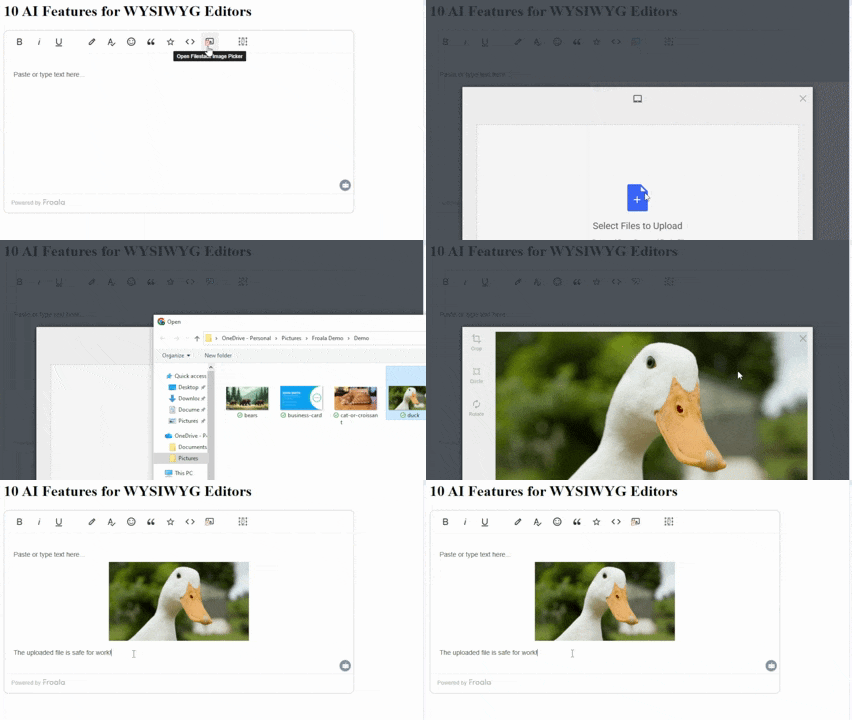
Content moderation matters for public-facing and professional platforms. AI-based safety checkers can analyze uploaded media for sensitive or inappropriate material.
For images or videos, AI can identify explicit or unsafe visuals. When flagged, the system can alert users or block content submission automatically.
This feature protects both users and platform owners from compliance or reputation issues. It’s especially helpful for community platforms, forums, corporate tools, and e-learning portals.
AI-Based Optical Character Recognition
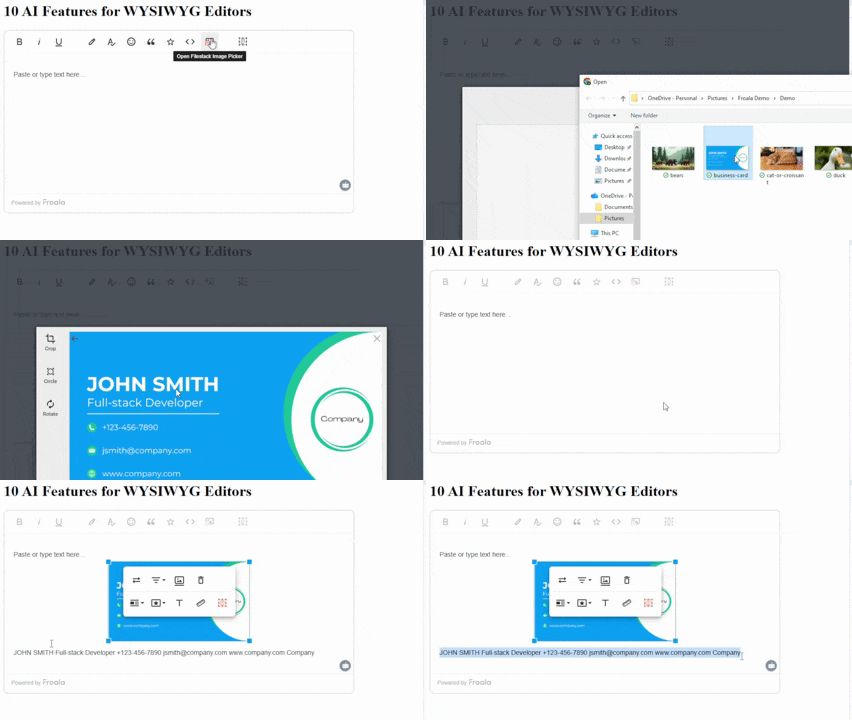
Optical character recognition (OCR) converts text from images into editable digital content. AI-based OCR takes this further by improving recognition accuracy and understanding complex layouts.
Traditional OCR systems rely on pattern recognition, which involves comparing patterns from an image to a database of known letters and numbers. It also doesn’t inherently learn or adapt, requiring manual reconfiguration for new fonts or layouts. Thus, while it did the job back then, it’s significantly less accurate with complex scenarios (handwriting, different languages).
On the other hand, modern OCR uses deep learning and machine learning (subsets of AI) to interpret context. It can read text from IDs, invoices, or handwritten notes with better precision.
For example, uploading scanned documents into WYSIWYG editors could instantly extract names, addresses, or serial numbers. Developers can integrate this for document processing or onboarding systems that require form data extraction.
Image Sentiment Analysis
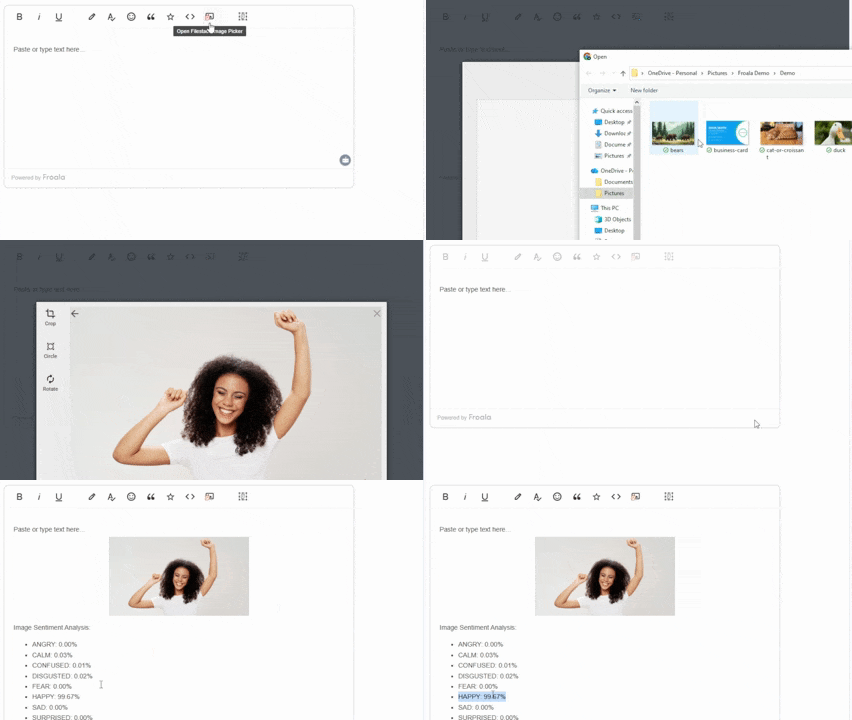
Images carry emotional cues that influence audience perception. Image sentiment analysis allows AI to interpret these emotions and represent them through values like {joy: 80, calm: 70, anger: 5}.
This helps marketers and designers test whether visuals match the brand mood or campaign tone. For example, an AI might detect that a photo conveys “trust” and “optimism,” helping teams choose visuals aligned with their goals.
It also assists in A/B testing, where marketers can compare emotional resonance between different versions of an image.
Code Refactoring
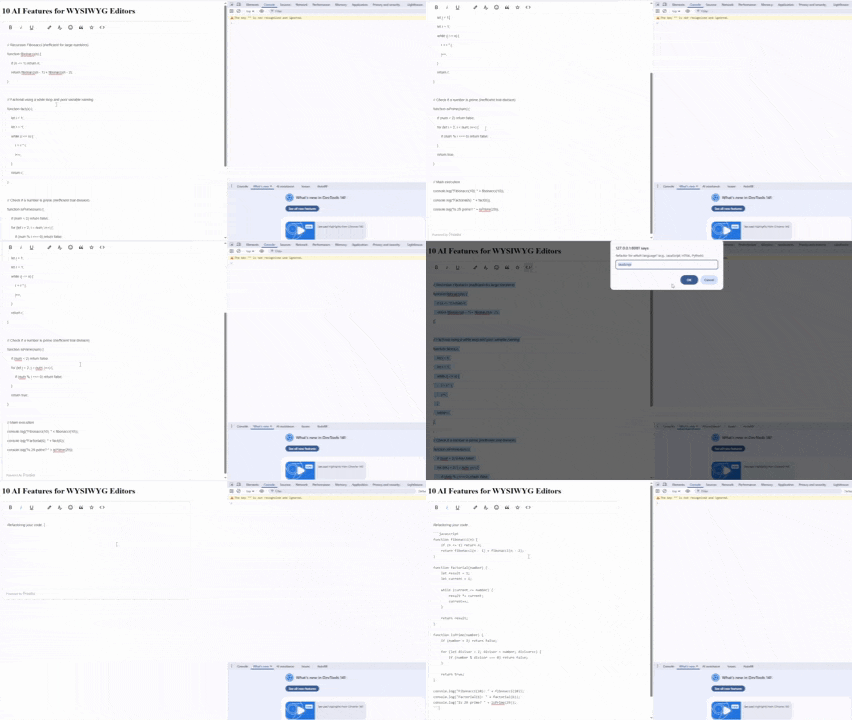
Many WYSIWYG editors include a “code view” mode for developers. AI can make this mode smarter through code refactoring, where it reviews and edits code for better readability and maintainability.
The AI scans syntax and logic, detecting redundant lines or inefficient structures. It then proposes cleaner, optimized versions. For example, it might find unused variables, poorly named constants, or duplicated functions and recommend merging them.
This feature benefits developers, educators, and students learning programming best practices. It significantly helps with code readability and reduces maintenance overhead.
Conclusion
AI has transformed how WYSIWYG editors support end users. From smarter writing tools to accessibility-focused features, these capabilities make content creation faster, clearer, and more inclusive.
Developers can start small, adding one or two AI features like text rewriting or auto-captioning, and expand over time. Each addition improves user experience and strengthens the editor’s overall functionality.
However, note that AI doesn’t and shouldn’t replace creativity. Instead, it amplifies it, helping writers, designers, and developers produce meaningful content with the editors they already love using.
If you need to see the demos above in action and to help you get started with implementing these ten AI features for WYSIWYG editors, visit this GitHub repository.








No comment yet, add your voice below!