



Froala 4.7 Release with Anchors, Page Breaks, and Word Export
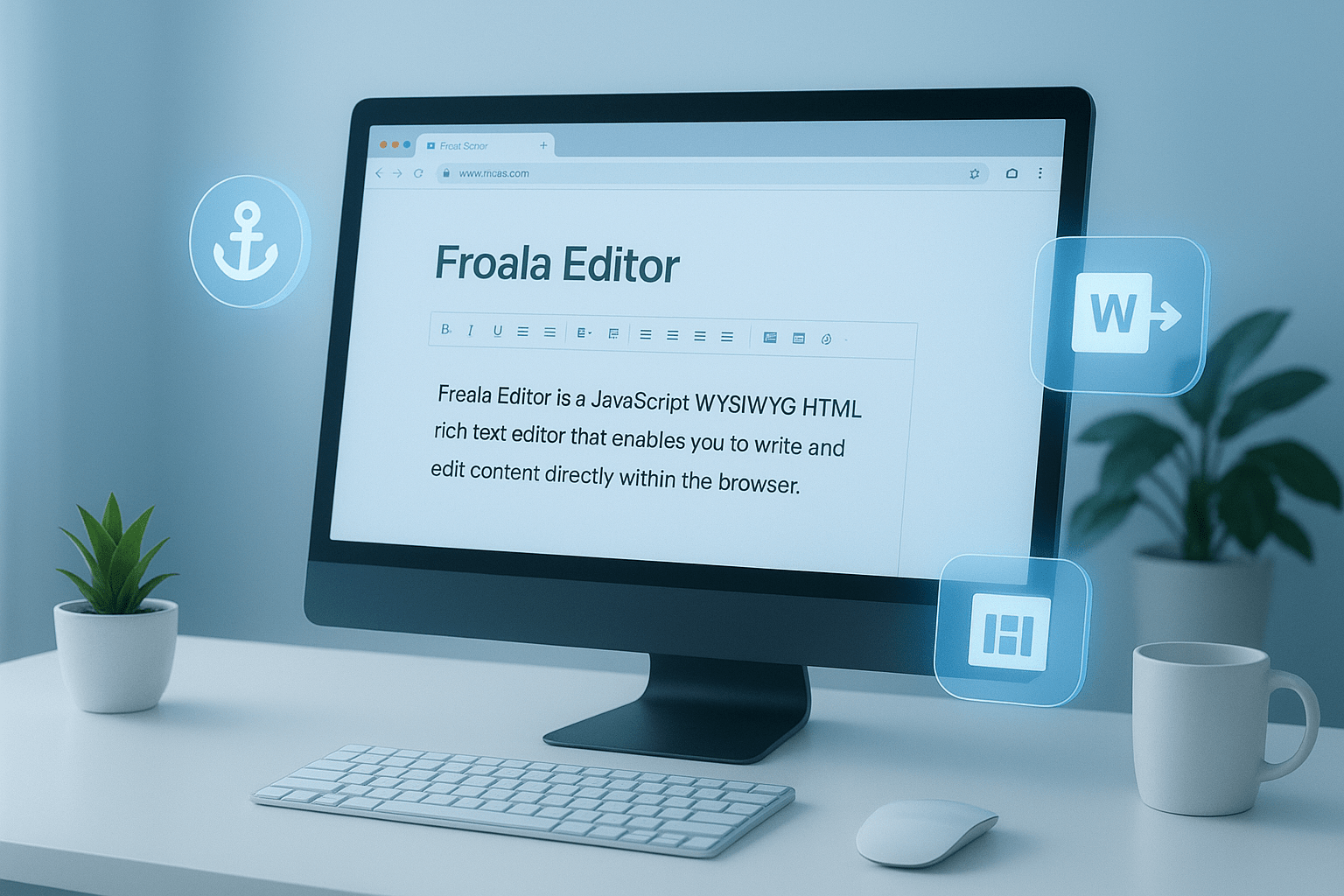
You asked for anchor text, page breaks, and export to Word features. We listened and today we are excited to announce our long awaited release, Froala 4.7 is available for download.
With advanced document organization features, your favorite rich text editor is now even more powerful allowing you to create documents with greater precision and efficiency.
With the new anchor text feature, you can easily link to specific sections within your content. The page break option ensures seamless formatting for printed or exported documents, while the export to Word functionality simplifies sharing and collaboration.
In this article, we’ll delve deeper into each of these new features and explore how they can enhance your document creation process. Let’s take a closer look at what makes these updates so impactful.
Introduce Anchors Feature
Anchors are particularly useful for creating tables of contents or linking to specific sections in long documents, allowing readers to jump to specific sections with just a click.
By creating strategic anchor points, writers can improve document readability and structure, making information easier to find and access.
Froala 4.7 introduces a robust anchor feature that lets users:
Insert Named Anchor
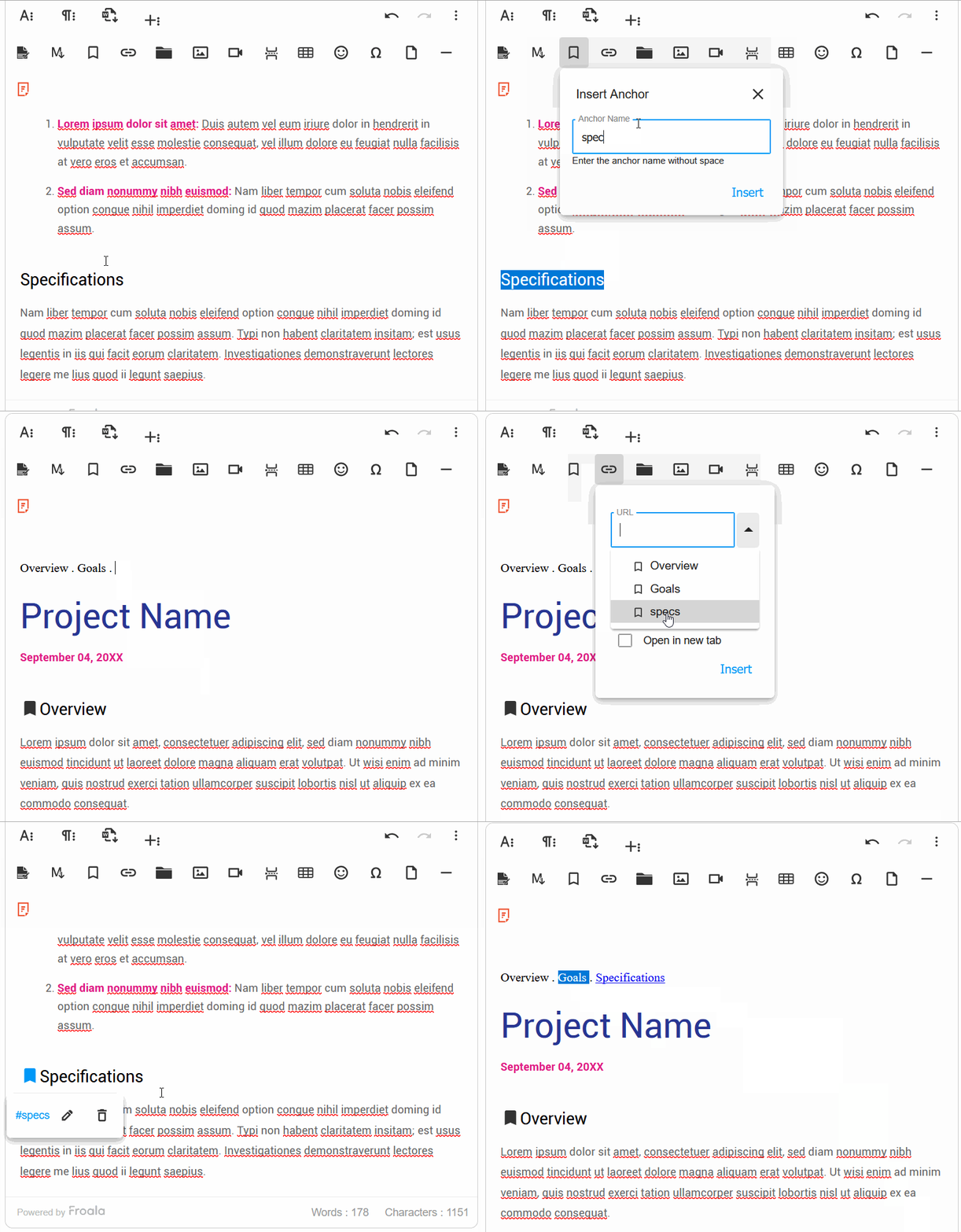
Click the anchor toolbar button to open a dialog box. Enter a descriptive name for the anchor, which will be inserted into the HTML at the cursor’s current location. Anchors are represented with a bookmark icon.
Create Link to an Anchor
To link to an anchor, click the insert link button. You can:
- Select from a list of existing anchors
- Manually enter the anchor name (e.g., #introduction)
When clicked, the link will smoothly scroll to the targeted anchor position.
Pro Tip for Effective Anchor Text Usage
To maximize the utility of anchor text, use clear, descriptive names that reflect the content of the section. For example, instead of generic names like “section1”, use meaningful identifiers like “advanced-features” or “getting-started”. This approach not only improves navigation but also enhances the overall user experience and document structure.
Introduce Page Break Feature
This release enables a user to insert page breaks in the editable area. This is useful for creating print-ready documents or preparing content for export. Page breaks help maintain consistent formatting and improve document readability, especially when dealing with longer texts.
Users can easily insert a page break at any point in their document, ensuring smooth pagination and a professional appearance.
This feature is particularly beneficial for academic papers, reports, and other formal documentation where precise layout is crucial.
We implemented the Page Break feature with precision and user-friendly functionality. Users can access the Page Break option through a dedicated toolbar button, which inserts a non-editable horizontal marker at the cursor’s current position. This marker is visually distinct, allowing easy identification within the document.
Page breaks can only be removed through explicit deletion using Backspace or Delete keys after selecting the page break handle, preventing accidental removal during typing.
Additionally, the implementation guarantees cross-browser compatibility and supports smooth keyboard navigation, making it accessible and consistent across different platforms and devices.
The new pageBreak plugin includes the exportPageBreak option, enabled by default. Disabling it excludes page break elements from the html.get method, offering developers granular control over page break handling during export.
The plugin also features the pageBreak.insert() method and a pageBreak.beforeInsert event, triggered before insertion.
These advanced options provide developers with extensive flexibility in managing page breaks, ensuring intuitive and responsive document editing.
Developers can easily customize page break behavior for web documentation, print preparation, or complex document management, seamlessly integrating the feature into various workflows to cater to diverse user requirements.
Introduce Export to Word Feature
This release enables users to export content from a web-based rich text editor into a well-formatted Microsoft Word document (.docx) while preserving text formatting, images, tables, and styles.
This feature helps streamline document creation workflows by bridging the gap between web-based editing and traditional word processing. Users can now seamlessly transfer their carefully crafted content to Microsoft Word without losing formatting or layout integrity.
The export functionality supports a wide range of document elements, including complex formatting, embedded images, and intricate table structures, ensuring a smooth transition from web editor to professional document preparation.
This feature is particularly beneficial for professionals who frequently switch between web-based editing platforms and Microsoft Word. Researchers, writers, and content creators will appreciate the ability to quickly transfer their work without manual reformatting.
The export feature supports multiple languages and character sets, ensuring compatibility with international document standards.
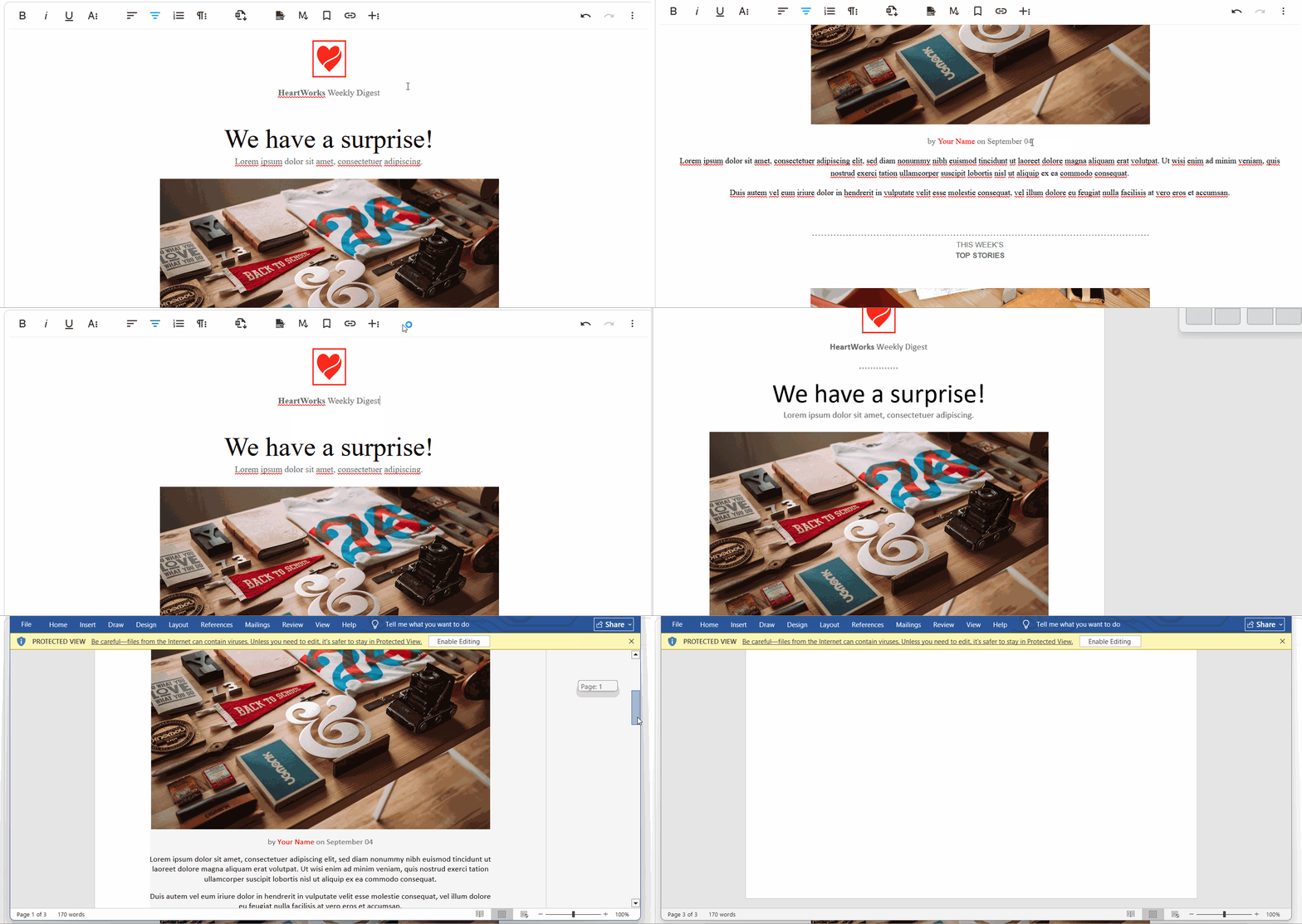
The exportToWord plugin lets developers configure a default filename for exported files using the wordExportFileName setting. It also offers word.beforeExport and word.afterExport events for customizing content before or after the export.
By providing a seamless transition between web editing and traditional word processing, Froala 4.7 empowers users to work more efficiently and maintain document quality across different platforms.
Pro Tip for Export to Word
When exporting documents, ensure all formatting elements are compatible with Word’s document structure. Consider using standard fonts and avoiding complex CSS styling that might not translate perfectly.
Test the exported document in different versions of Microsoft Word to guarantee consistent rendering. Always review the exported file to confirm that critical elements like headings, lists, and embedded media maintain their intended appearance and layout.
Enable Dynamic Translation for the new Table Cell Popup
Froala 4.6.2 introduced a new table and cell features, including border customization and dimension/sizing options. Input labels, tooltips, and placeholders for these features now utilize the editor’s language system, enabling localization.
The localization feature allows developers to create multilingual interfaces with ease, supporting a global user base. By dynamically translating interface elements, the editor becomes more accessible to international users.
Much More…
We have addressed various issues reported by our users to enhance the overall performance and stability of Froala Editor. These include:
- Inserting an emoji no longer changes the paragraph’s font-family.
- Enhance plain paste feature to strip out all background color, font family, and formatting from the source.
Please find the complete changelog list here.
How Can I Update?
Update to Froala WYSIWYG Editor 4.7 today and experience enhanced editing features and improvements.
If you are using a plain JavaScript library or other framework, check the get started page to know how to download the latest Froala Editor release and how to include it in your project based on your preferred method.
If you are using a plain JavaScript library or other framework, follow the table below to learn how to download the latest Froala Editor release and include it in your project based on your preferred method.
| Method | How to download | Include in your project | |
| CDN | – |
<!-- Include Editor stylesheet--> <link href="https://cdn.jsdelivr.net/npm/froala-editor@4.7.0/css/froala_editor.pkgd.min.css" rel="stylesheet" type="text/css" /> <!-- Include Editor JavaScript file--> <script type="text/javascript" src="https://cdn.jsdelivr.net/npm/froala-editor@4.7.0/js/froala_editor.pkgd.min.js"></script> |
|
| CDN (Always the latest version) | – |
<!-- Include Editor stylesheet--> <link href="https://cdn.jsdelivr.net/npm/froala-editor@latest/css/froala_editor.pkgd.min.css" rel="stylesheet" type="text/css" /> <!-- Include Editor JavaScript file--> <script type="text/javascript" src="https://cdn.jsdelivr.net/npm/froala-editor@latest/js/froala_editor.pkgd.min.js"></script> |
|
| NPM |
npm install froala-editor |
<!--

Replace the {download-folder-path} in the following example with the path to the folder containing the stylesheet file e.g.

../css/froala_editor.pkgd.min.js

-->

<link href="{download-folder-path}/froala_editor.pkgd.min.css" rel="stylesheet" type="text/css" />

<!--

Replace the {download-folder-path} with the path to the folder containing the JS file e.g.

../js/froala_editor.pkgd.min.js

-->

<script type="text/javascript" src="{download-folder-path}/froala_editor.pkgd.min.js"></script>
|
|
| bower |
bower install froala-wysiwyg-editor |
||
| NO Package Manager | Download Froala WYSIWYG Editor files using the download form here. | ||
| Integrated with a Framework | Select your preferred framework from 17 different popular frameworks. | ||
| Other options | Check here for other options for using Froala WYSIWYG Editor in your project. | ||
For Froala Editor Version 2 Users:
Follow this migration guide for step-by-step instructions on upgrading from version 2.
Try The Latest Froala Editor
Explore a variety of examples that demonstrate the functionality of the Froala HTML Editor.
Support and Feedback
We are dedicated to always offering the best possible experience for all our users. We believe this release, meant to enhance Typescript support, is a stepping stone towards that commitment. We encourage you to try this improved Typescript support and give us your valuable feedback. Your input is crucial for delivering continuous enhancement and meeting your evolving needs. Thank you for being a valuable part of our vibrant and growing community.
We would like to hear what you think of the latest release! Join us on our GitHub Community to chat with our product manager, developers, and other members of the Froala team.
Change Log
- Please visit the release notes for a complete list of changes.
Get Started
- You can download and start using Froala in less than five minutes following our get-started guide.
Technical Questions
- If you have a technical question, you can check whether we have already answered it in our help center. If not, contact our Support team.






No comment yet, add your voice below!