

Froala Editor 4.7.1: Cleaner HTML and Smooth Pasting
The 4.7.1 release focuses on the stability and reliability, tackling 15+ customer-reported issues behind the scenes. This release tightens up find-and-replace, cleans HTML output, and smooths copy-paste. All of this comes on the heels of 4.7.0’s game-changing features—Anchor text, Export to Word, and page breaks. Ready to see what’s new?
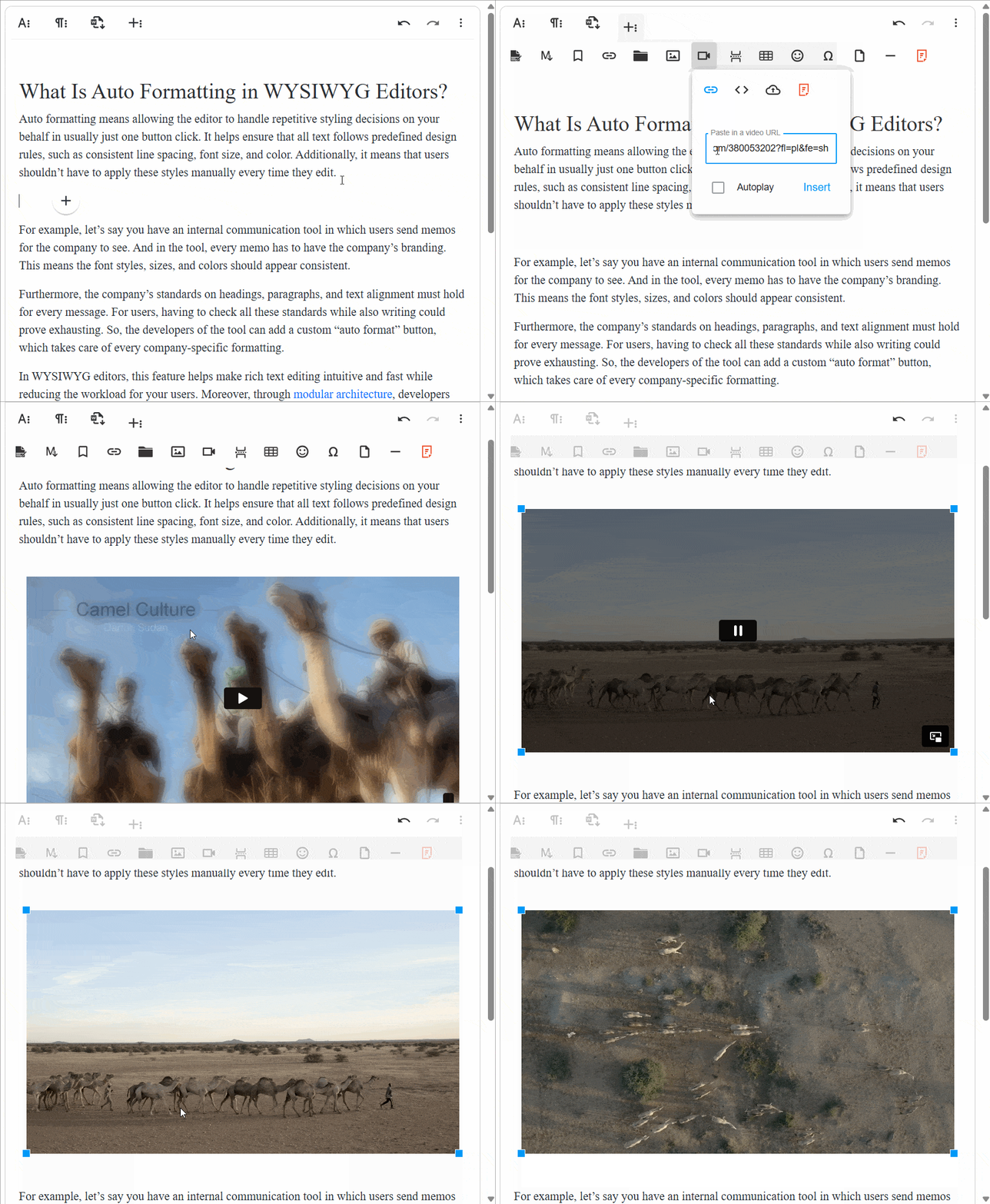
Seamless Support for the Latest Vimeo Link Formats
The Froala video plugin now fully supports the latest Vimeo event links and embed codes. This means you can reliably embed Vimeo videos and have them play directly inside the editor.
What’s improved and why it matters:
- Seamless embedding: New Vimeo formats are recognized automatically, so you don’t have to juggle code or workarounds.
- In-editor playback: Videos render and play inside the editor, giving you a true WYSIWYG experience.
- Improved reliability: The updated formats reduce compatibility issues when inserting or updating Vimeo content.
Benefits for you:
- Faster workflow: Copy, paste, and embed Vimeo videos with fewer steps.
- Cleaner output: Consistent, standards-compliant embeds that render predictably.
Lean HTML, Cleaner Output
This release introduces cleanReduntantStyleOnGet configuration. With this configuration enabled, the editor automatically removes redundant styling inherited from parent elements and unwraps non-block elements lacking attributes when retrieving content using editor.html.get(). The result is cleaner, more concise HTML output with less unnecessary markup.
Benefits for you:
- Cleaner HTML: Removes redundant styles and empty wrappers, producing leaner markup.
- More predictable rendering: Output is easier to process downstream and maintain consistency across editors.
- Faster downstream edits: With simpler HTML, further formatting or transformations are less error-prone.
Start Fresh: Clean New Lines After Pasting
The 4.7.1 release comes with a new configuration, clearFormatOnEnterNewLine. This option controls how formatting behaves when you start a new line after pasting content. If set to true: the new line starts with a clean, default style. It will not inherit formatting (font, color, size, etc.) from the pasted content or surrounding text. If set to false (or not enabled): the new line likely retains the same formatting as the previous line.
Why this matters:
- Predictable formatting: You get a fresh line you can style from scratch, instead of fighting inherited styles.
- Easier edits: The toolbar formatting you apply will affect the new line immediately, without needing to strip or override inline styles.
Benefits for you:
- Cleaner, more consistent new lines after paste.
- Reduces issues when pasting content from sources like Wikipedia, where inline styles can bleed into the new line.
- Improves workflow by making formatting changes intuitive and reliable from the start.
Find and Replace Improvements
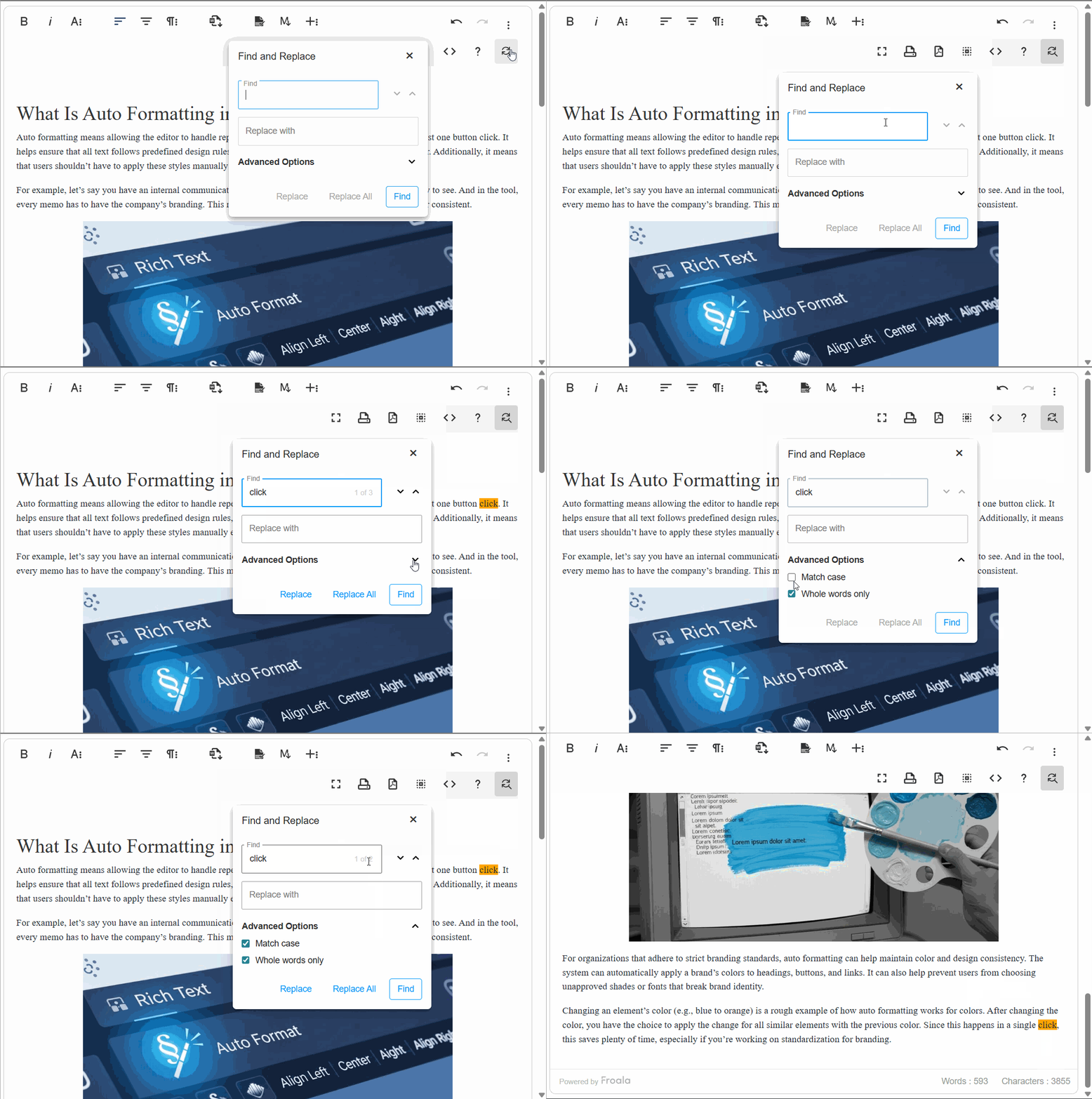
The 4.7.1 release introduces a cleaner, more intuitive Find and Replace experience. These updates make the tool less disruptive, more precise, and easier to navigate—especially when editing complex documents or working with multiple editors.
Precise Popup Repositioning
When you drag and drop to reposition the Find and Replace popup, it now snaps to the exact position where you drop it.
Why it matters:
The tooltips align more accurately with your cursor, making it easier to locate and use the popup in rapid edits.
Benefit to you:
Faster, more reliable placement during demanding edits and when working with complex layouts.
Find/Replace Shortcuts Now in the Help Guide
The Help popup now displays the shortcuts for Find and Replace (Ctrl + F on Windows, Command + F on Mac).
Why it matters:
Your users don’t have to remember shortcuts off the top of their head; guidance is right where they look.
Benefit to you:
Quicker access to the feature with improved keyboard navigation and discoverability.
Find/Replace Popup Clears on Instance Switch
Switching focus from one Froala editor instance to another resets the Find and Replace popup (clears the popup fields).
Why it matters:
Each editor instance starts fresh, avoiding stale searches from another context.
No More Overlaps with Quick Insert Icon
The Find and Replace popup no longer overlaps the Quick Insert icon. This prevents overlapping interactions and keeps focus predictable during quick edits.
Focus-Aware Highlighting: Maintain Selection While Editing
When you select text and then open the formatting dropdown menu (for example, the color picker dropdown), the text remains highlighted. You won’t lose your selection or be surprised by a shift in highlight while you’re adjusting styling.
Why this matters:
- Predictable editing: Highlights stay in place, so you can apply changes without reselecting.
- Faster workflow: You don’t waste time reselecting text or reapplying emphasis after opening a formatting tool.
- Reduces confusion: Maintains visual continuity, making it clear which text will be affected by your formatting.
Programmatic Styling of Table Cell Text
The editor now reliably applies programmatic style changes to the actual text inside selected table cells. Previously, font size and other text styles could fail to affect the cell content when updated via API calls.
Example: Selecting table cells and calling froala.fontSize.apply('20pt') now updates the text inside those cells to “20pt” as expected.
This means with the V4.7.1 release, you can reliably bulk format table text via API.
Paste with Confidence: Higher Fidelity from External Apps
With the 4.7.1 release, you get fresher fidelity when pasting from Word, OneNote, and other apps. Pasted content now retains more of the original formatting and structure instead of becoming misaligned or fragmented.
- Fixed OneNote image-pasting issue
When content from OneNote is pasted, it no longer converts to an image by default, so you get text that you can edit and count toward character limits. - Multilevel lists stay aligned.
Nested/bulleted lists paste with correct indentation and alignment, preventing corruption or shifting. - Roman numerals and font family preserved
Pasted Roman numeral lists retain their intended font family and styling, keeping lists consistent with the source.
Users are more likely to see output that matches their original documents, saving time and effort.
Much More…
This release includes additional improvements and bug fixes. See the complete changelog for details.
How Can I Update?
Update to Froala WYSIWYG Editor 4.7.1 today and experience enhanced editing features and improvements.
Check the get started page to know how to download the latest Froala Editor release and how to include it in your project based on your preferred method.
Try The Latest Froala Editor
Explore a variety of examples that demonstrate the functionality of the Froala HTML Editor.
Support and Feedback
We are dedicated to always offering the best possible experience for all our users. We believe this release, meant to enhance TypeScript support, is a stepping stone towards that commitment. We encourage you to try this improved TypeScript support and give us your valuable feedback. Your input is crucial for delivering continuous enhancement and meeting your evolving needs. Thank you for being a valuable part of our vibrant and growing community.We would like to hear what you think of the latest release! Join us on our GitHub Community to chat with our product manager, developers, and other members of the Froala team.
Change Log
- Please visit the release notes for a complete list of changes.
Get Started
- You can download and start using Froala in less than five minutes following our getting-started guide.
Technical Questions
- If you have a technical question, you can check whether we have already answered it in our help center. If not, contact our Support team.





No comment yet, add your voice below!